Introduction
Best Content Management Systems (CMS) for Website Design in 2026,Building a website in 2026 is easier than ever before. Whether you are starting a personal blog, an online business, a portfolio, or a large company website, you no longer need advanced programming skills to create a professional online presence. Content Management Systems (CMS) have made website creation accessible to everyone.
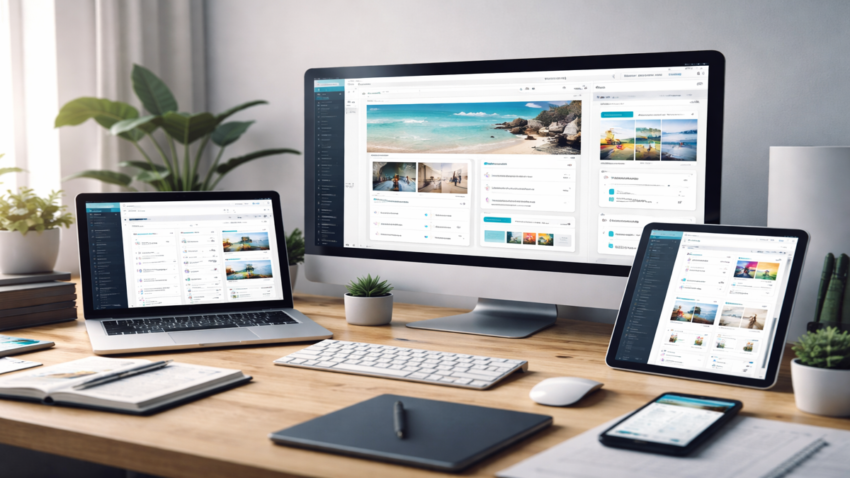
A CMS is a software platform that allows users to create, manage, and update website content without needing to write complex code. With a CMS, you can design pages, publish blog posts, upload images, manage users, and control your entire website from a simple dashboard.
Over the years, CMS platforms have evolved significantly. They now include powerful design tools, drag-and-drop editors, built-in SEO features, mobile optimization, and thousands of plugins or extensions. In 2026, choosing the right CMS depends on your website goals, technical skills, and budget.
This article explores the best content management systems for website design in 2026, highlighting their features, strengths, and ideal use cases.
What Is a Content Management System?
A Content Management System is a platform that allows users to create and manage digital content on a website without needing extensive programming knowledge.
Traditionally, building websites required writing HTML, CSS, and JavaScript manually. Every change had to be edited directly in the code. A CMS simplifies this process by providing an easy interface where users can update content visually.
Most CMS platforms include the following features:
- Content editor for writing and formatting pages and blog posts
- Theme or template system for website design
- Media management for images and videos
- User management for administrators and contributors
- Plugin or extension support to add extra functionality
- SEO tools to help improve search engine visibility
Because of these features, CMS platforms are widely used by bloggers, businesses, developers, and organizations around the world.
Why Choosing the Right CMS Matters
Selecting the right CMS can significantly affect your website’s performance, scalability, and ease of management.
Here are some key factors to consider when choosing a CMS:
Ease of Use
A good CMS should have an intuitive interface that allows beginners to manage content easily.
Customization Options
Different websites require different features. A CMS should support themes, plugins, or extensions to customize design and functionality.
SEO Capabilities
Search engine optimization helps websites appear in search results. CMS platforms with built-in SEO tools make optimization easier.
Security
Security is critical for protecting website data and users. Reliable CMS platforms provide regular updates and security features.
Scalability
As your website grows, your CMS should be able to handle increased traffic and content without performance issues.
Understanding these factors helps website owners choose the best platform for their needs.
WordPress: The Most Popular CMS in the World
WordPress continues to dominate the CMS market in 2026. It powers a large portion of websites across the internet and remains a top choice for bloggers, businesses, and developers.
Key Features
- Thousands of customizable themes
- Over 50,000 plugins for additional features
- Strong SEO capabilities
- Large community and support network
- Flexible for both beginners and developers
Why It’s Popular
WordPress offers unmatched flexibility. Users can create almost any type of website, including blogs, portfolios, online stores, membership platforms, and news websites.
The platform also supports visual page builders, allowing users to design pages using drag-and-drop tools rather than coding.
Ideal For
- Bloggers and content creators
- Small and medium businesses
- Online stores using eCommerce plugins
- Websites that require customization
Wix: A Beginner-Friendly Website Builder
Wix has become one of the most user-friendly CMS platforms available. It is especially popular among beginners who want to build a website quickly without technical knowledge.
Key Features
- Drag-and-drop website builder
- Hundreds of professional templates
- Built-in hosting and security
- Integrated marketing tools
- App marketplace for additional features
Why It’s Popular
Wix simplifies website creation by combining hosting, design tools, and content management in one platform. Users can design pages visually without worrying about coding or server configuration.
Its artificial intelligence tools can even generate website layouts automatically based on user preferences.
Ideal For
- Personal websites
- Small business websites
- Portfolios and creative projects
- Users who want a simple setup process
Shopify: Best CMS for eCommerce Websites
For businesses that want to sell products online, Shopify remains one of the most powerful CMS platforms in 2026.
Key Features
- Built specifically for eCommerce
- Secure payment processing
- Inventory management
- Mobile-optimized storefronts
- Integration with social media and marketplaces
Why It’s Popular
Shopify simplifies the process of launching an online store. It handles hosting, security, payments, and product management, allowing business owners to focus on sales and marketing.
The platform also supports thousands of apps that extend store functionality.
Ideal For
- Online retailers
- Dropshipping businesses
- Entrepreneurs launching digital stores
- Businesses selling physical or digital products
Joomla: A Powerful and Flexible CMS
Joomla is another well-established CMS platform known for its flexibility and strong content management capabilities.
Key Features
- Advanced user management system
- Multilingual support
- Extensive extensions library
- Strong community support
- Flexible content organization
Why It’s Popular
Joomla offers more built-in functionality than many other CMS platforms. It provides advanced control over website structure and user permissions, making it suitable for complex websites.
Although it requires slightly more technical knowledge than beginner platforms, it offers powerful customization options.
Ideal For
- Community websites
- Membership platforms
- Educational portals
- Medium to large websites
Drupal: Best CMS for Large and Complex Websites
Drupal is a powerful open-source CMS often used for large, high-traffic websites.
Key Features
- Highly secure architecture
- Advanced customization capabilities
- Strong performance for large websites
- Flexible content structure
- Enterprise-level scalability
Why It’s Popular
Drupal is known for its reliability and security, which is why many government agencies, universities, and large organizations use it.
While it requires more technical expertise than other CMS platforms, it offers unmatched flexibility for developers building complex systems.
Ideal For
- Government websites
- University and research platforms
- Enterprise-level websites
- High-traffic portals
Webflow: Modern Design and Visual Development
Webflow has gained significant popularity among designers and developers who want full control over website design without writing extensive code.
Key Features
- Visual design interface with advanced controls
- Built-in CMS for dynamic content
- Clean, production-ready code generation
- Responsive design tools
- Hosting and security included
Why It’s Popular
Webflow bridges the gap between design and development. Designers can create complex layouts visually while maintaining precise control over styles and animations.
The platform also allows teams to collaborate on website projects more efficiently.
Ideal For
- Professional designers
- Creative agencies
- Portfolio websites
- Modern marketing websites
Key Trends in CMS Technology in 2026
CMS platforms continue to evolve with new technologies and changing user needs. Several major trends are shaping the future of content management systems.
AI-Powered Content Tools
Artificial intelligence is increasingly integrated into CMS platforms. AI tools can assist with content suggestions, design recommendations, and automated SEO improvements.
Headless CMS Architecture
Headless CMS platforms separate the content management backend from the frontend display. This allows developers to deliver content across multiple platforms such as websites, mobile apps, and smart devices.
Improved Security Features
With rising cybersecurity threats, CMS platforms now include stronger authentication systems, automated updates, and advanced security monitoring.
Mobile-First Design
Most CMS platforms prioritize mobile responsiveness to ensure websites perform well on smartphones and tablets.
Faster Performance
Modern CMS systems use optimized code, cloud hosting, and content delivery networks to improve website loading speed.
These innovations continue to make website development more efficient and accessible.
Tips for Choosing the Best CMS for Your Website
Selecting the right CMS depends on your specific needs and long-term goals.
Consider the following tips:
Define Your Website Purpose
Are you building a blog, business site, online store, or portfolio? Different CMS platforms are better suited for different purposes.
Consider Your Technical Skills
Beginners may prefer easy platforms like Wix, while developers may prefer more customizable systems like Drupal or Webflow.
Evaluate Budget and Costs
Some CMS platforms are free but require paid hosting, while others include hosting as part of their service.
Check Available Integrations
Make sure the CMS supports integrations with tools you plan to use, such as email marketing platforms, analytics tools, or payment systems.
Plan for Future Growth
Choose a CMS that can scale with your website as traffic and content increase.
Conclusion
Content Management Systems have transformed the way websites are built and managed. In 2026, CMS platforms offer powerful tools that allow individuals and businesses to create professional websites without extensive technical knowledge.
WordPress remains the most versatile and widely used CMS, while platforms like Wix provide simplicity for beginners. Shopify continues to dominate the eCommerce space, while Joomla and Drupal offer advanced features for complex websites. Meanwhile, Webflow represents the future of visual website design and development.
Choosing the right CMS depends on your goals, technical experience, and the type of website you want to build. By understanding the strengths of each platform, you can select the best solution to create a secure, scalable, and effective website.
As technology continues to evolve, CMS platforms will become even more powerful, making it easier than ever for people around the world to share information, build businesses, and create meaningful online experiences.