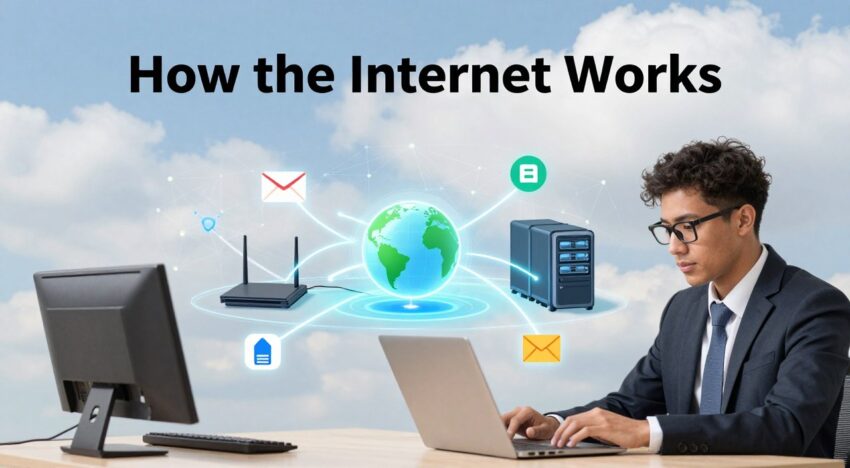
Every day, millions connect globally via modern tech. Most people rarely pause to consider what happens behind screens. Grasping internet basics, allows users to navigate digital spaces with ease.
Imagine a massive infrastructure linking every computer on earth. It is a system built on physical cables and invisible signals. We rely on it for work, school, and staying in touch with friends.
This beginner guide offers a clear path to understanding global connectivity. Data travels across massive networks within seconds. Learning how it works helps everyone stay safe and informed today.
Electronic messages hop through routers before landing in a mailbox. Every link clicked triggers a series of requests. These requests travel through fiber optic lines hidden deep under water.
Such speeds seem like magic, but they are just pure engineering. By mastering these concepts, users gain control over their digital footprint. Everyone deserves a clear look at this global system.
Key Takeaways
- Understanding physical infrastructure like global cables.
- Role of routers in moving data packets.
- Importance of online security and privacy.
- How devices communicate across distances.
- Basics of digital connectivity for daily life.
- Empowerment through technical knowledge.
The Core Concept of Global Connectivity
The internet connects different networks all over the world. This lets billions of devices talk to each other.
Defining the Internet as a Network of Networks
The internet is a “network of networks“. It links smaller networks like ISPs, schools, and government sites. They use standardized protocols to share information smoothly.
The Role of Physical Infrastructure
The internet’s physical parts are key. They include undersea cables, fiber optic cables, cell towers, and satellites. These help send data around the globe.
For example, undersea cables carry most international data. Fiber optic cables offer fast internet over land.
Here are some important parts of the internet’s infrastructure:
- Undersea cables that span across oceans
- Fiber optic cables that crisscross continents
- Cell towers that provide wireless connectivity
- Satellites that enable remote or hard-to-reach areas to access the internet
Knowing about the internet’s infrastructure helps us understand global connectivity. It shows the complexity and beauty of the internet as a global system.
How Data Travels Across the Globe
It’s important to know how data moves around the world. When you send data online, it doesn’t go straight from point A to point B. Instead, it breaks into small packets that travel on their own.
Understanding Data Packets and Routing
Data packets are the basic units of internet info. Each packet has the data and control info like where it’s going. Routers, special computers, figure out the best way to send these packets.
Routers check the packet’s address and send it to the next closest router. This keeps happening until the packet gets to its final spot. There, it’s put back together into the original data.

The Importance of Fiber Optic Cables and Satellites
Fiber optic cables and satellites are key for sending data worldwide. Fiber optic cables use light to send data fast and far through thin fibers. They’re super important for moving lots of data over long distances.
Submarine Cables and Transoceanic Connections
Submarine cables are special fiber optic cables under the sea. They connect continents and help with global communication. These cables carry more than 95% of international data.
| Technology | Description | Advantages |
|---|---|---|
| Fiber Optic Cables | Transmit data as light signals through thin glass or plastic fibers | High-speed, high-capacity, low latency |
| Satellites | Orbit the Earth to relay data between different locations | Covers remote or inaccessible areas, provides backup connectivity |
| Submarine Cables | Fiber optic cables laid under the ocean for transoceanic connections | High-capacity, reliable international data exchange |
The Language of the Web
The web’s language lets billions of devices talk to each other. It’s made up of key parts that make sure data gets where it needs to go fast and right.
Internet Protocol (IP) Addresses Explained
Every device online has a special ID called an IP address. This ID is key for data to reach its destination on the internet. IP addresses look like 192.0.2.1 in a dotted decimal format.
There are two main types of IP addresses: IPv4 and IPv6. IPv4 is 32-bit, while IPv6 is 128-bit. This means IPv6 can handle more devices than IPv4.
Domain Name System (DNS) as the Internet Phonebook
The Domain Name System (DNS) is like the internet’s phonebook. It changes easy-to-remember domain names into IP addresses that devices use. This makes it easier for us to find websites.
Here’s how DNS works:
- A user types a domain name into their browser.
- The browser asks a DNS resolver for the IP address.
- The DNS resolver checks with DNS servers to find the IP address.
- When it finds it, the IP address is sent back to the browser.
- The browser then connects to the server hosting the website.
How Your Browser Finds a Website
When you type a URL into your browser, it starts a process to find and show the website. After finding the IP address, your browser sends an HTTP request to the server. The server then sends back the data, which your browser shows as a webpage.
This whole process is fast, usually in milliseconds. This is why you can quickly get to your favorite websites.
The Client-Server Model
The client-server model is at the core of the internet’s work. It’s simple yet powerful. This model lets users and websites talk to each other efficiently.
What Happens When You Click a Link
When you click a link, your browser asks the server for the content. The server then sends the content back to your browser.
This process includes steps like DNS lookup and data transfer. Knowing this helps you understand the internet basics.

The Role of Web Servers in Hosting Content
Web servers are key in sharing content online. They keep website files, handle requests, and send content to browsers.
Request and Response Cycles
The client-server model relies on request and response cycles. When a user asks for data, the server gives it back.
- The client (browser) starts a request.
- The server handles the request.
- The server sends the response to the client.
This cycle keeps going, making it easy for users and websites to interact. Smooth request and response cycles are vital for a good user experience.
Learning about the client-server model helps you understand the internet. It shows how it connects the world.
Understanding How the Internet Works (Beginner Guide)
It’s key to know how the internet works today. We often mix up “internet” and “World Wide Web.” But they’re not the same thing.
The Difference Between the Internet and the World Wide Web
The internet is a network of computers and servers all over the world. It lets data move between billions of devices.
The World Wide Web is all the web pages and sites on the internet. It makes sharing and finding information easy with web browsers and links.
Think of the internet as roads and highways. The World Wide Web is like the cars and traffic on those roads.
How Internet Service Providers (ISPs) Connect Your Home
Internet Service Providers (ISPs) are key in getting you online. They offer internet access through different technologies.
There are several ways to connect to an ISP:
- Fiber Optic Cables: Fast internet through light in glass or plastic fibers.
- Cable Internet: Uses TV cables for internet access.
- Digital Subscriber Line (DSL): Uses phone lines for internet.
- Mobile Networks: Internet for mobile devices through cell towers.
- Satellite Internet: Ideal for remote areas, uses satellites.
| Connection Type | Speed | Reliability |
|---|---|---|
| Fiber Optic | High | High |
| Cable | Medium to High | Medium |
| DSL | Low to Medium | Medium |
| Mobile | Variable | Variable |
| Satellite | Medium | Low to Medium |
Picking the right ISP and connection depends on your needs. Consider how many devices you’ll use, your budget, and what’s available in your area.
Security and Privacy Fundamentals
As we explore the internet, knowing about security and privacy is key. The internet is a big network that can put us at risk. It’s important to know how to keep our online presence safe.
Encryption and HTTPS Explained
Encryption is a big part of keeping the internet safe. It makes data unreadable to protect it from hackers. When you go to a website, HTTPS (Hypertext Transfer Protocol Secure) makes sure your data is safe. You’ll see a padlock icon in your browser.
HTTPS is very important. It keeps your data safe and makes sure you’re talking to the right website. Here are some key points about HTTPS:
- Encrypts data in transit, protecting against eavesdropping and tampering.
- Verifies the identity of the website, building trust with the user.
- Is now considered a ranking signal by search engines, influencing your website’s visibility.
The Role of Firewalls and Routers in Home Security
Encryption and HTTPS protect data in transit. But firewalls and routers are key to keeping your home network safe. A firewall blocks bad traffic and lets good traffic through.
Routers connect your devices to the internet. They can also help keep your network safe. Modern routers have firewalls and other security features like:
- Network Address Translation (NAT), which hides your IP address from the internet.
- Quality of Service (QoS), which makes sure important traffic gets through first.
- Guest networking, so visitors can use the internet without getting into your network.
By setting up these devices right, you make your home network much safer. This protects your data and devices from harm.
Conclusion
Learning about the internet is key in today’s world. This guide has covered the basics of how we connect globally and send data. It also talked about the tech that makes it happen.
You now know about the internet’s physical setup and how IP addresses and DNS work. You understand the client-server model, web servers, and the difference between the internet and the World Wide Web.
Remember, security and privacy are very important online. Using encryption, HTTPS, firewalls, and routers can keep you safe.
With this knowledge, you can better explore the digital world. Keep learning and stay current with new internet tech to enjoy the digital world fully.
FAQ
What is the fundamental difference between the Internet and the World Wide Web?
In any beginner guide, it’s key to know the difference. The Internet is a huge global internet infrastructure. It includes the hardware, cables, and protocols that connect millions of computers. On the other hand, the World Wide Web is a service on top of this infrastructure. It’s made up of websites and HTML pages you access through browsers like Google Chrome or Apple Safari.
How does the “Network of Networks” concept work in simple terms?
A: Understanding the internet means seeing it as a web of networks. It’s not one thing but many. From small home setups to big data centers like Amazon Web Services (AWS), they all connect using standard protocols. This lets them share information all over the world.
What role do Internet Service Providers (ISPs) play in home connectivity?
An Internet Service Provider, like Comcast (Xfinity), AT&T, or Verizon, connects you to the internet. They keep the local internet technology and wiring running. This lets your home router connect to the wider internet.
How does data travel across the ocean so quickly?
Many think satellites carry most data, but it’s actually submarine fiber optic cables. These huge underwater lines, run by companies like Google and Lumen Technologies, cross oceans. They provide fast internet for beginners and experts.
What are data packets and why are they used?
The internet doesn’t send files whole. Instead, it breaks data into small data packets. Each packet has a part of the content and the IP address of its destination. Routers then send these packets on different paths. They’re put back together when they reach your device.
How does the Domain Name System (DNS) act as the internet’s phonebook?
Computers use numbers called IP addresses (like 192.0.2.1), but we prefer names like Google.com or Wikipedia.org. The DNS is key for internet basics. It changes those names into the numbers computers need to find a web server.
What is the purpose of the Client-Server model?
This is how the internet works. Your device (the client) asks for data, and a remote computer (the server) answers. This request and response cycle lets you do things like watch videos, read articles, and send emails.
Why is HTTPS and encryption necessary for a beginner’s guide to the internet?
Security is key for understanding the internet. HTTPS makes sure data between your browser and a server is safe. It keeps things like passwords and credit card numbers safe during your online activities.
What is the function of a router in a home network?
A router controls traffic in your home network. It gets data from your ISP and sends it to the right device. This could be an iPhone, a Samsung Smart TV, or a laptop. It also offers basic firewall security.